How to password-protect a PDF file without Adobe Acrobat
PDFs with sensitive content leave your hands all the time: contracts, personal documents, tax forms, proposals for a big client. Password protection encrypts the file so nobody can open it without the password, and you do not need Adobe Acrobat or any other paid software to add one.
How to password-protect a PDF for free
Use the free Protect PDF tool. It works in the browser, so there is nothing to install:
- Upload the PDF file (or several) you want to protect.
- Enter a strong password. The tool rates your password as weak, medium, or strong while you type.
- Confirm the password, click "Protect PDF", and download the encrypted file after a few seconds.
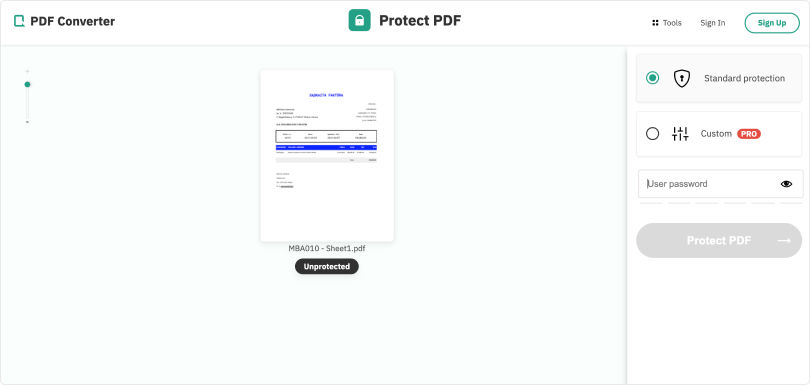
From then on the PDF content is encrypted. Anyone who opens the file, in any PDF reader, is asked for the password first.
Is protecting a PDF online safe?
Uploading a confidential file to a website is a fair concern, so here is exactly how the tool handles your data:
- Files and passwords are transferred over encrypted SSL connections;
- Files are permanently deleted from the servers after 3 hours;
- Passwords are discarded as soon as processing completes.
Whatever service you pick, check that it states how long files are stored and whether third parties are involved. If a provider does not say, choose one that does.
Restrict printing and editing
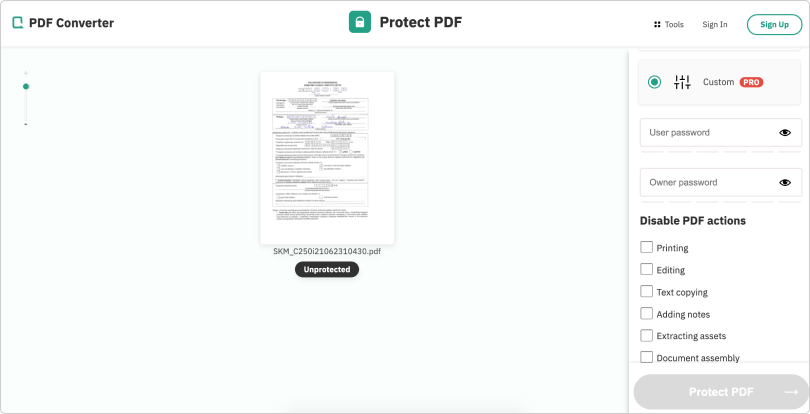
A password on opening the file is enough for most situations. If you need finer control, the PRO version adds permission settings: you can let people read the PDF while forbidding them to edit or print it.
Either way, locking a PDF takes well under a minute, costs nothing, and works without Adobe Acrobat.