Your scanned document is upside down? Fix it in under 1 minute
You scanned a document and a page came out upside down. It happens with books, work papers, insurance cards, and passports alike, and nobody wants to walk back to the scanner over one flipped page.
The fix takes less than a minute, works in your browser, and is free.
Free and simple way to rotate a PDF file
You can have a 100-page scanned document and rotate just the one page that is flipped. Or several pages. Or the whole thing, if you want.
Go to the online Rotate PDF tool. All you need is a device with an internet connection. Then follow a few easy steps:
- Upload your PDF into the toolbox.
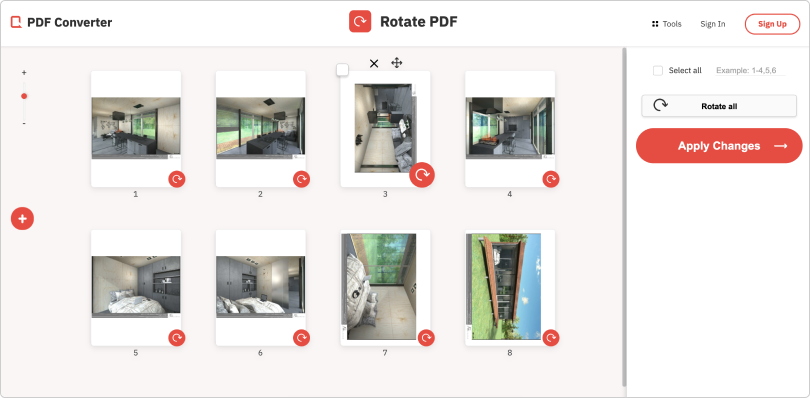
- Choose the pages to rotate on the panel. All pages of your PDF are displayed as thumbnails, so it is easy to select the ones you wish to flip, clockwise or counterclockwise. There are additional options too, such as changing the order of pages or deleting them entirely.
- Once the document looks right, apply the changes and download your PDF. That is it, the job is done.
What you get to skip:
- Filling out registration forms to rotate a PDF;
- Installing unknown software on your device;
- Handing your data to people you have no reason to trust.
The tool requires no registration and no installation.
Your document is uploaded to our servers only for as long as it takes to process it. When your request is completed, we permanently erase the file. All data on our servers is also encrypted, so nobody else can read it in the meantime.
That is all there is to it. Your document is fixed in a minute, with no trip back to the scanner.